




erwin Data Modeler Alternative
Browser-based modeling for Snowflake, Databricks and dbt. Bring your erwin models with you.












Database Modeling Solution of the Year
Data Breakthrough Awards, two years running, in both the 2023 and 2024 programs
4.7 stars
across verified G2 reviews
SOC 2 Type II
with SSO, RBAC, audit logs, and customer-managed keys for enterprise deployments
THE PROBLEM
erwin was built for a different era of data
THEN
LEGACY
The erwin era
erwin helped define an earlier era of data modeling.
Built for centralized teams, controlled environments, and slower change.
TODAY
CLOUD
The modern data stack
Today, data is distributed across cloud platforms like Snowflake and Databricks, transformation logic lives in tools like dbt, and teams span engineering, analytics, and business.
Making legacy modeling workflows harder to sustain.
Where legacy modeling holds teams back

Desktop tools slow down modern teams
Desktop-based tools limit access and create bottlenecks around licensed users and model ownership.
With SqlDBM: Fully cloud-native, runs in the browser.

Managing environments shouldn’t break your models
Keeping dev, test, and production aligned in erwin is manual and error-prone. Changes overwrite each other and context gets lost.
With SqlDBM: Built-in version control, parallel workflows.

Cloud workflows don’t map cleanly
Legacy modeling approaches weren’t designed for Snowflake, Databricks, or dbt-driven development.
With SqlDBM: Built for Snowflake, Databricks, and BigQuery from the ground up.

Modeling shouldn’t depend on one person
In erwin, changes often flow through licensed model owners, creating bottlenecks where teams wait on one person to make or approve changes.
With SqlDBM: Real-time collaboration with shared access.

Your data model shouldn’t be locked to specialists
In erwin, visibility often requires additional tools or manual exports, limiting access to a small group.
With SqlDBM: A central, accessible view for engineering, analytics, and business.

It’s hard to trust what changed and why
It’s hard to trust what’s in production. Changes overwrite each other, and teams lose confidence fast.
With SqlDBM: Version history and environment compare show exactly what changed, when, and by whom.
SqlDBM vs. erwin: a strategic comparison
See how SqlDBM’s modern, cloud-native approach outperforms legacy desktop solutions.
| Category |  |
erwin Data Modeler |
|---|---|---|
| Deployment | Fully cloud-native, runs in the browser | Desktop-based, requires installation and setup |
| Collaboration | Real-time collaboration with shared access | Limited to licensed users and model owners |
| Versioning & environments | Built-in version control, parallel workflows | Complex to manage across dev/test/prod |
| Cloud data platforms | Built for Snowflake, Databricks, BigQuery | Desktop-first; cloud support added in v15 |
| dbt alignment | Aligns models with dbt logic and structure | dbt support added in v15 |
| AI assistant | Copilot, role-aware across six roles | Paid AI add-on for model generation |
| Semantic layer | Native semantic modeling | Not available |
| AI agent access (MCP) | MCP server for AI tools and agents | Not available |
| Visibility across teams | Central view for engineering, analytics, and business | Sharing often requires exports or additional tools |
| Handling change | Clear visibility into changes and system alignment | Changes can overwrite each other |
| Scalability | Designed to scale with enterprise data environments | Desktop-based; scale depends on local hardware |
| Release cadence | Monthly product updates | Limited |
| Migration path | Import erwin XML and continue without rebuilding | Requires maintaining legacy workflows |
| Metadata catalog integration | Atlan, Collibra, Confluence, Informatica | Collibra and Informatica only |
In 2019 SqlDBM became the first online modeling tool to support Snowflake, and over 300 Snowflake clients now use it as a Premier Partner Connect member.
AI AND THE CONTEXT LAYER
Your model is the context your AI needs
erwin helps you draw models faster. SqlDBM turns your model into governed context that Copilot, your BI tools and your AI agents all read from.
Copilot
A role-aware assistant.
Semantic modeling
Metrics and definitions defined once.
MCP Server
Your model, available to any AI agent.
Data Modeling Maturity Ladder. See where your team lands
How migration works
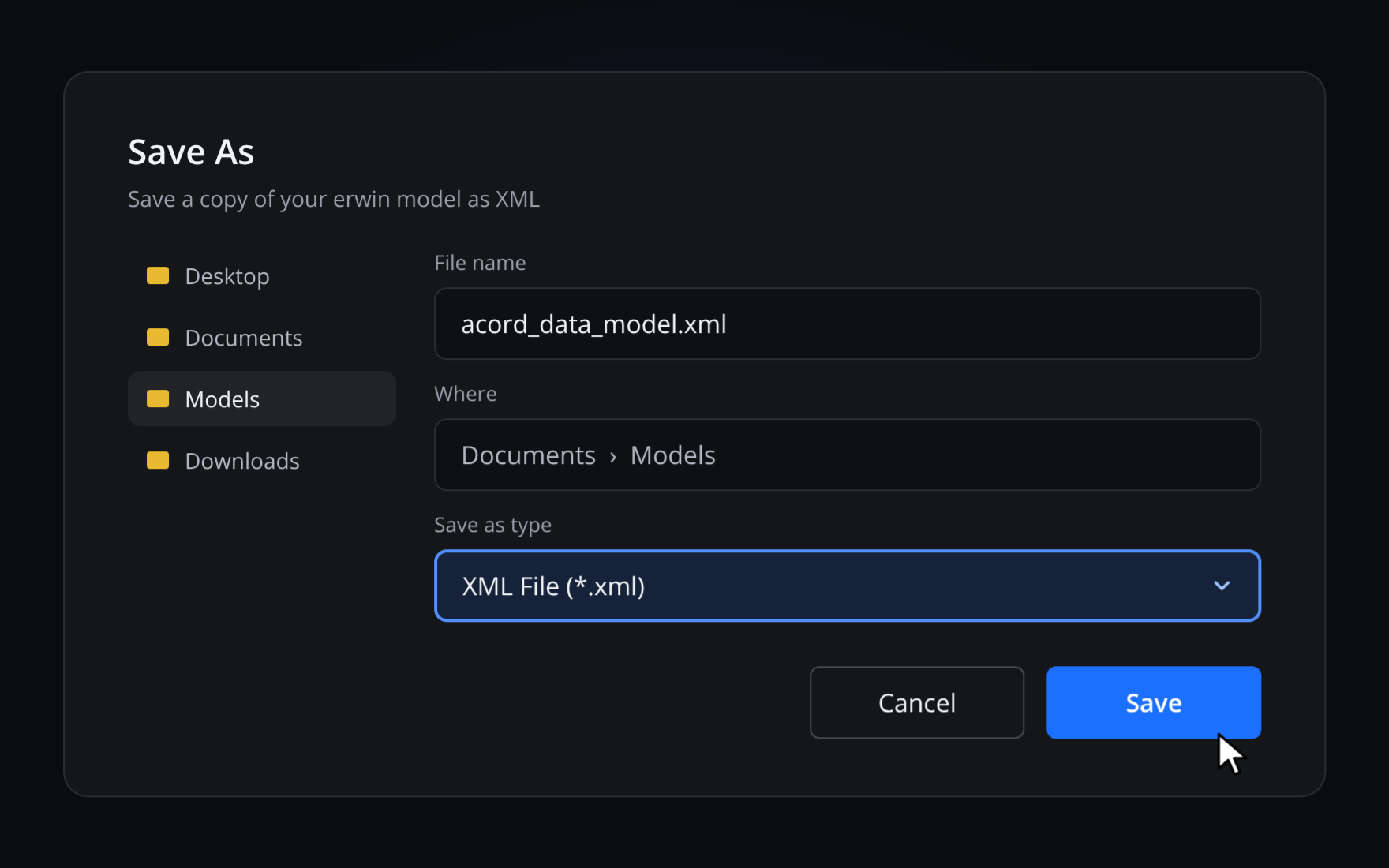
1
Export XML from erwin
In erwin, use Save As XML.
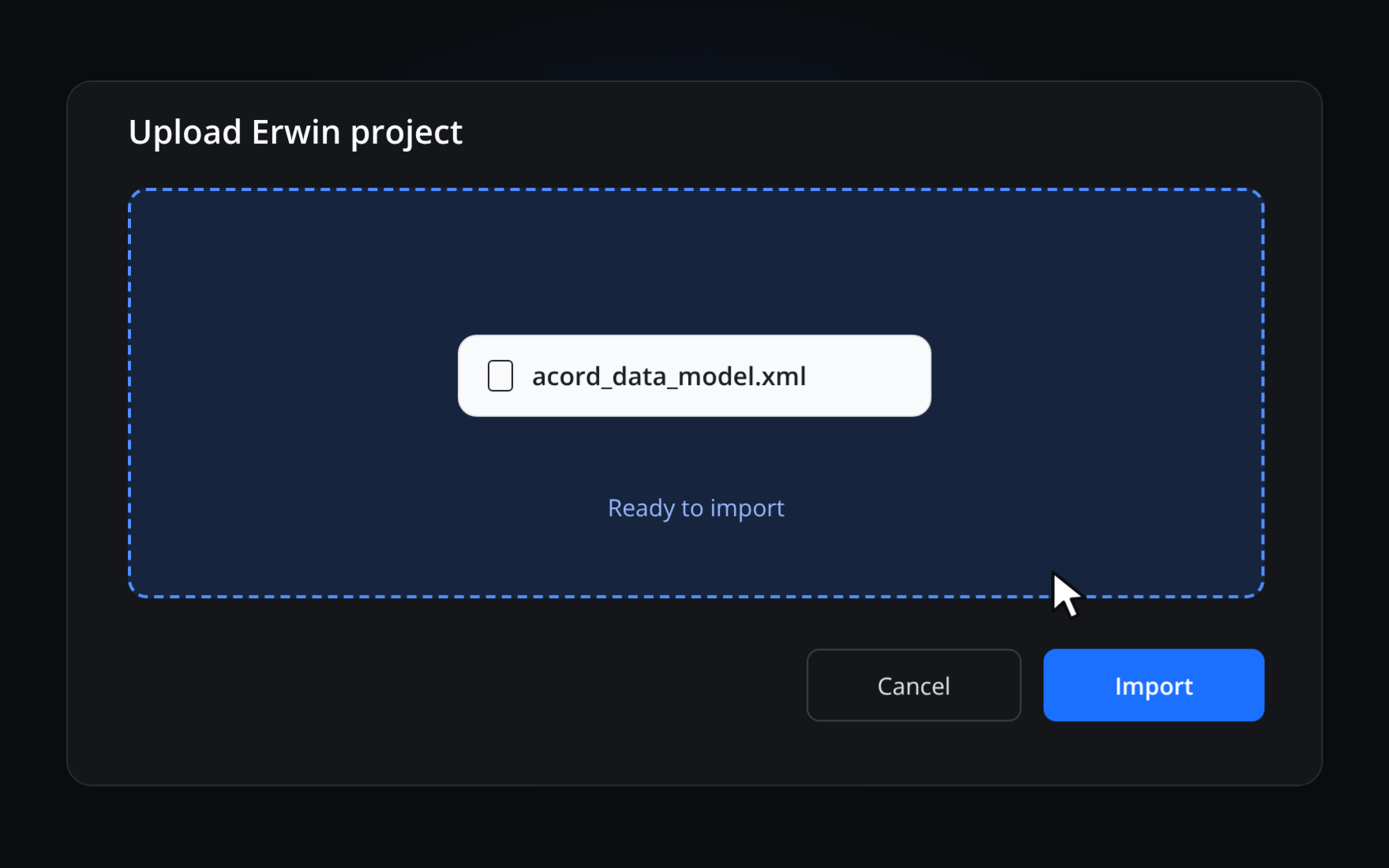
2
Upload in SqlDBM
Upload the XML file to your SqlDBM project.
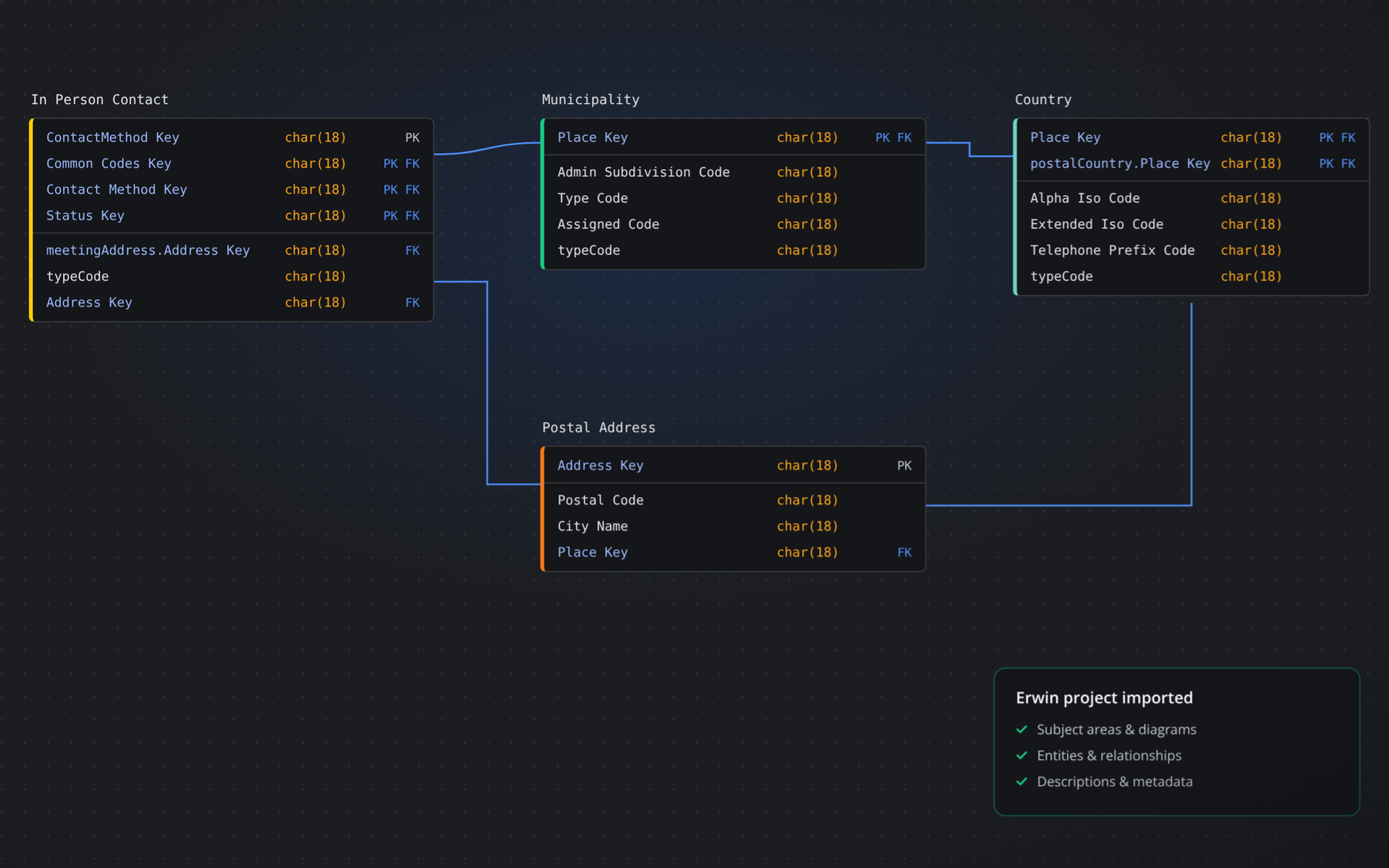
3
Model in the browser
Your model opens in the browser, ready to edit and share.
SqlDBM gives you a shared, cloud-native architecture layer to define, align, and manage data across systems, connecting design to dbt, Snowflake, and Databricks so analytics and AI run on consistent definitions.
Works with erwin 2020 R1 or newer, using the XML Repository Format.
What carries over
- Subject areas
- Tables
- Columns
- Keys
- Relationships
- Views
- Descriptions
Customers who made the move


Health & fitness
Les Mills made the same call when it chose SqlDBM to govern 1,000+ Snowflake tables after rejecting erwin over usability and maintenance trade-offs.


Infrastructure
John Holland Group, one of Australia’s largest infrastructure firms with 70+ years of data, completed its Databricks cloud migration in nine months with SqlDBM as the authoritative source for its gold-layer models, governed through a twice-weekly Data Modeling Forum.
David Zmood, Data Platform Architect

Mercadona
Retail
Mercadona, Spain’s largest supermarket chain, governs an Enterprise Data Model of nearly 5,000 tables in SqlDBM as its single source of truth.
Frequently asked questions
Do I have to rebuild my models?
No. Import your erwin XML and bring your models with you: structure, relationships, and key metadata.
Which erwin versions are supported?
SqlDBM imports XML exported from erwin 2020 R1 or newer, in the XML Repository Format. The erwin conversion guide walks through the steps.
Does SqlDBM work with Collibra and Informatica?
Yes. SqlDBM integrates with Atlan, Collibra, Confluence, and Informatica.
Where is my data stored?
SqlDBM is SOC 2 Type II certified, with SSO, RBAC, audit logs, and customer-managed keys. Customer-hosted and regional storage are available as options. See the security page for details.